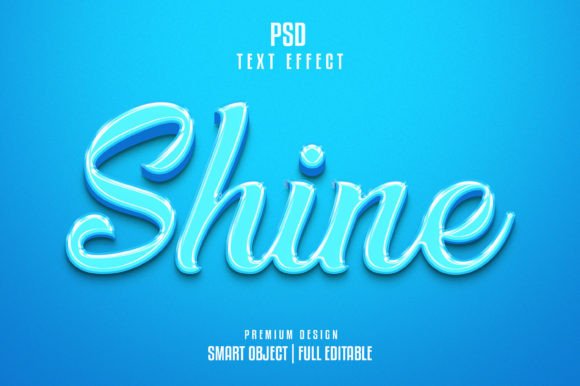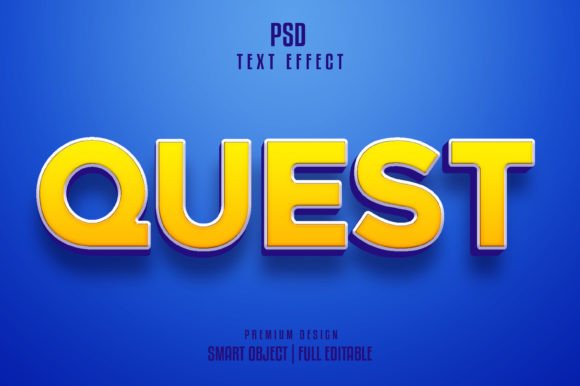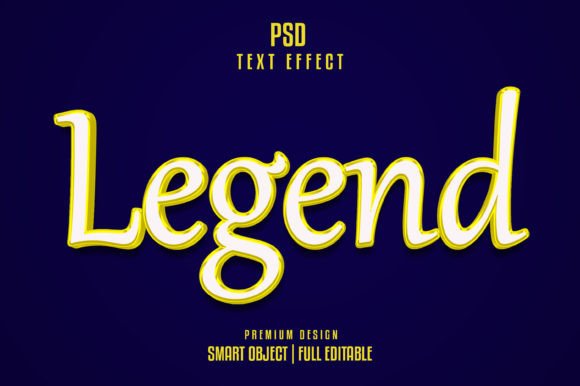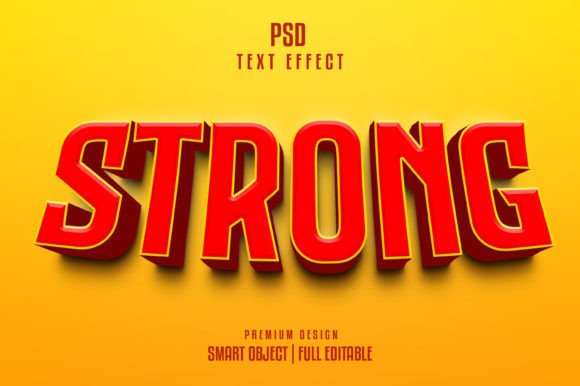
Mastering the Podcast 3D Text Effect
In the crowded digital landscape of audio content, your cover art is often the first—and sometimes only—chance you get to capture a potential listener’s attention. While high-quality audio is non-negotiable, visual branding plays a pivotal role in click-through rates and brand recognition. This is where the Podcast 3d Text Effect becomes an indispensable tool for creators who lack extensive graphic design experience but refuse to compromise on professional aesthetics. By leveraging pre-designed, editable templates, you can elevate your podcast’s visual identity with minimal effort and maximum impact.
Why Visual Depth Matters in Audio Branding
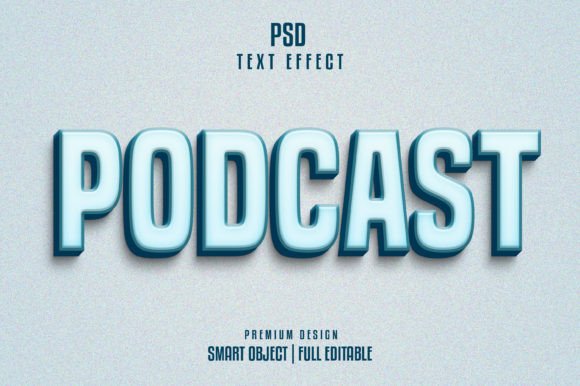
Podcasting is an auditory medium, yet its discovery happens visually. Whether a user is scrolling through Spotify, Apple Podcasts, or social media feeds, flat, two-dimensional text often fails to stand out against the noise. A Podcast 3d Text Effect adds dimension, weight, and presence to your title. It creates a tactile feel that suggests quality and production value before the user even presses play.
The psychological impact of three-dimensional typography is subtle but powerful. It implies depth and structure, mirroring the layered nature of well-produced audio. When your text pops off the screen, it signals to the audience that you have invested time and resources into your craft. This perception of quality can significantly influence a listener’s decision to subscribe, especially when they are choosing between multiple shows in the same niche.
Deconstructing the Template: Features and Flexibility
The true value of a high-quality text effect template lies not just in its appearance, but in its usability. A robust TEXT EFFECT TEMPLATE Editable PSD is designed to bridge the gap between professional design output and amateur editing skills. Here is what makes these resources particularly effective for modern creators:
- Smart Object Integration: The core feature is the use of Smart Objects. This allows you to double-click a layer, type your podcast name, and save. The complex lighting, shadows, and textures update automatically. There is no need to manually adjust bevels, embosses, or drop shadows.
- High-Resolution Output: With a resolution of 300 DPI and dimensions of 2000 x 1331px, the file is ready for both digital display and print merchandise. You can use the same asset for your YouTube thumbnail, website header, or even physical promotional posters without losing clarity.
- Fully Editable Color Modes: Operating in RGB color mode ensures that colors appear vibrant on screens. However, the layered structure allows you to tweak hues to match your specific brand palette instantly.
- Organized Layer Structure: A well-layered PSD file is a joy to work with. Groups are logically named, making it easy to hide background elements, adjust opacity, or swap out textures if you want a unique variation.
Practical Applications Beyond Cover Art
While the primary use case is obviously podcast cover art, the versatility of a Podcast 3d Text Effect extends far beyond a single square image. Savvy marketers and entrepreneurs recognize that consistent visual branding across all touchpoints builds trust and recall.
Social Media Engagement
Social platforms like Instagram and LinkedIn favor bold, eye-catching graphics. Using your 3D text effect for quote cards, episode announcements, or behind-the-scenes teasers creates a cohesive visual language. When followers see that distinct textured typography, they immediately associate it with your brand, increasing engagement rates.
Video Thumbnails and Intros
If you repurpose your podcast content for YouTube or TikTok, thumbnails are critical. A 3D text effect stands out against busy video backgrounds. Furthermore, you can animate these static PSD layers in video editing software to create dynamic intros, adding motion to the depth for a premium look.
Merchandise and Print
Because the file is 300 DPI and high resolution, you can confidently place your podcast logo on t-shirts, mugs, or stickers. The 3D effect translates well to print, giving physical items a professional, designed feel rather than a homemade appearance. This opens up new revenue streams for monetizing your audience.
Efficiency and Workflow Optimization
Time is the most scarce resource for independent creators. Hiring a graphic designer for every episode update or seasonal rebrand is costly and slow. Learning complex 3D modeling software like Blender or Cinema 4D has a steep learning curve. The TEXT EFFECT TEMPLATE Editable PSD offers a middle ground: professional results with a five-minute workflow.
By downloading a design that includes everything you see, you eliminate the trial-and-error phase of design. You are not starting from a blank canvas; you are starting from a finished product that simply needs your specific text. This efficiency allows you to focus on what truly matters: creating great content. For freelancers and agencies, this means faster turnaround times for client projects, enabling you to take on more work without sacrificing quality.
Selecting the Right Effect for Your Niche
Not all 3D effects are created equal, and not every style suits every podcast. When evaluating a Podcast 3d Text Effect, consider the tone of your show. A true-crime podcast might benefit from gritty, textured, or metallic finishes, while a business or tech show might look better with clean, glossy, or minimalist 3D styles.
Pay attention to the Free Font inclusion. While the template may come with a suggested font, ensure it aligns with your brand voice. If the template uses a playful, rounded font but your podcast is serious and analytical, you may need to swap the typeface. The beauty of a well-organized PSD is that it usually accommodates different font weights and lengths, though extreme changes may require minor manual adjustments to spacing or scaling.
Technical Considerations for Best Results
To get the most out of your downloadable design, keep a few technical best practices in mind. First, always work on a copy of the original PSD file to preserve the master template for future use. Second, when exporting for web use (such as podcast directories), convert your final image to sRGB color profile to ensure color consistency across different devices.
Additionally, while the template is Ready to Use, don’t be afraid to experiment with the layer styles. Adjusting the "Fill" opacity or tweaking the gradient overlays can help your text integrate better with specific background images. The goal is not just to apply an effect, but to make it look intentional and bespoke to your brand.
In conclusion, integrating a Podcast 3d Text Effect into your design workflow is a strategic move for any content creator. It combines aesthetic appeal with practical efficiency, allowing you to maintain a high-standard visual identity without the overhead of specialized design skills. By utilizing these editable, high-resolution resources, you ensure that your podcast looks as professional as it sounds, helping you stand out in an increasingly competitive market.