Mastering the 3D Text Effect Autumn Season Style for Professional Design Results
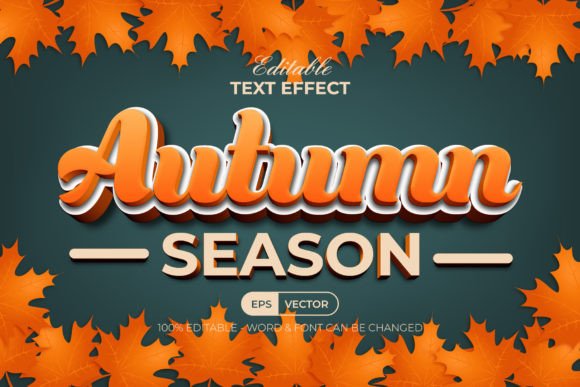
Autumn is more than just a season; it is a visual language defined by warmth, texture, and depth. For designers, marketers, and content creators, capturing this aesthetic can significantly elevate seasonal campaigns, social media graphics, and branding materials. This is where the 3D Text Effect Autumn Season Style becomes an invaluable asset. Rather than spending hours manually constructing complex gradients, shadows, and lighting effects in Adobe Illustrator, this tool provides a streamlined, professional solution. However, many users approach these graphic style assets with misconceptions that lead to frustration or subpar results. Understanding how to properly implement and edit these effects is crucial for maintaining efficiency and achieving high-quality visual output.
Understanding the Tool: It Is Not a Font
The most common misunderstanding among beginners is confusing a text effect with a font file. The 3D Text Effect Autumn Season Style is not a typeface you install into your system folder. Instead, it is a set of pre-configured graphic styles within Adobe Illustrator. This distinction is vital. If you treat it like a font, you will likely struggle to apply it correctly. These styles are designed to be applied to existing vector objects or editable text layers, allowing you to retain full control over the wording while instantly transforming its appearance.
By utilizing graphic styles, you benefit from non-destructive editing. You can change the text content, adjust the font family, or modify the underlying shape without losing the intricate 3D detailing. This flexibility is essential for professionals who need to iterate quickly on designs for clients or personal projects. Recognizing this fundamental difference ensures you start with the right workflow, saving time and preventing technical errors during the design process.
Common Pitfalls in Application and Editing
Even with a user-friendly tool, several overlooked details can compromise the final quality of your design. One frequent mistake is ignoring layer organization. The package includes well-organized layers, but users often flatten their work prematurely or fail to expand appearances correctly before exporting. This can result in missing elements or distorted effects when the file is moved to different software or platforms. Always keep your layers distinct until the final export stage to maintain editability.
Another critical error involves color management. The 3D Text Effect Autumn Season Style is built using RGB color profiles, which are ideal for digital displays, web graphics, and social media. However, some designers mistakenly use these files for print materials without converting colors or checking compatibility. While the effect looks vibrant on screen, RGB colors may shift unexpectedly when printed in CMYK. If your project requires physical production, such as flyers or packaging, you must evaluate whether the RGB-based effect translates well or if adjustments are needed. For purely digital use, however, the RGB profile ensures maximum vibrancy and screen accuracy.
Font Selection and Licensing Oversights
A significant advantage of this item is that it uses free fonts, making it accessible and cost-effective. Yet, a common oversight is neglecting to read the included "Read Me" text file. This file contains essential download links for the specific free fonts used in the preview. If you apply the style without having these fonts installed, Illustrator will substitute them with default typefaces, breaking the intended aesthetic balance. The 3D effect is calibrated to work harmoniously with specific font weights and structures. Using an incompatible font can make the text look cluttered or cause the 3D extrusion to appear uneven.
Furthermore, while the package offers 100 editable text options, users sometimes assume they are limited to these presets. In reality, you can apply the graphic style to any custom shape or text. Limiting yourself to the provided examples restricts your creativity. Experiment by applying the autumn style to logos, icons, or unique typographic layouts. This approach allows for greater customization and helps your brand stand out during the seasonal rush.
Technical Compatibility and File Management
Before purchasing or downloading, verify your software version. This 3D Text Effect Autumn Season Style is suitable for Adobe Illustrator CC or above. Users with older versions of Illustrator may encounter compatibility issues, such as missing features or inability to open the AI file correctly. Ensuring your software is up to date prevents unnecessary troubleshooting and guarantees that all graphic styles function as intended.
The package includes an EPS file, an AI file, a JPEG preview, and the Read Me text file. A best practice is to work directly within the AI file to preserve all editable properties. Some users convert files to EPS too early, which can limit certain modern Illustrator features. Keep the original AI file as your master copy. Additionally, use the JPEG preview not just for visualization, but as a reference for lighting and color balance when you begin customizing your own text. Comparing your work against the preview helps maintain consistency and quality.
Maximizing Efficiency for Professionals and Entrepreneurs
For freelancers, small business owners, and marketers, time is a valuable resource. The primary value of this tool lies in its ability to reduce production time without sacrificing quality. Instead of building a 3D effect from scratch—a process that can take hours—this style allows you to achieve a polished look in minutes. However, efficiency is only realized if you avoid the mistakes mentioned above. Taking a moment to organize your workspace, install the correct fonts, and understand the RGB limitations ensures a smooth workflow.
Educators and hobbyists can also benefit from this tool by using it as a learning resource. By examining the well-organized layers and graphic settings, you can gain insights into how professional 3D effects are constructed in vector software. This knowledge can be applied to future projects, even those not using pre-made styles. It serves as both a practical tool and an educational template for understanding depth, lighting, and texture in digital design.
Final Checks Before Implementation
Before finalizing any project using the 3D Text Effect Autumn Season Style, perform a few quality checks. First, ensure all text is spelled correctly and that the chosen font supports all necessary characters. Second, zoom in to inspect the edges of the 3D effect for any jagged lines or alignment issues, adjusting anchor points if necessary. Third, verify that the color palette aligns with your broader brand guidelines or campaign theme. Autumn tones are warm, but they should complement, not clash with, your existing visual identity.
If you encounter any issues or have questions about customization, remember that support is available. Reaching out for clarification can save hours of trial and error. Ultimately, this tool is designed to empower creators to produce stunning, seasonal visuals with ease. By avoiding common pitfalls and leveraging the flexibility of Adobe Illustrator’s graphic styles, you can create compelling designs that capture the essence of autumn while maintaining professional standards. Whether you are designing a blog header, a promotional banner, or a product label, mastering this effect adds a sophisticated touch to your creative toolkit.